 |
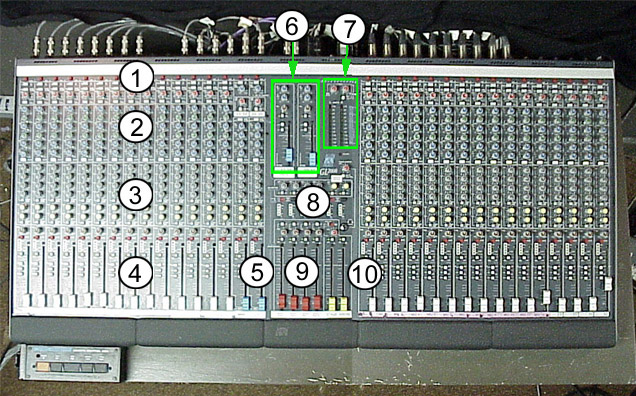
Auxiliary Sends |
|
Output Level Meters |
|
Group / Submaster Faders |
|
Channel Input Section |
|
Stereo Channels |
|
4 Band Equalizer |
|
Aux Send Masters |
|
Fader/Assign Section |
|
Stereo Returns |
|
Main Outputs |